


How Long Does SEO Take to Work in the UK? (Realistic Timeline)
How long does it take for SEO to work? It is the first question almost every UK business owner asks, and it is also the question that gets the vaguest answers. You will hear everything from “six months minimum” to confident promises of page one in ninety days. The truth sits somewhere in the middle, and it depends on far more than most agencies admit: the starting condition of your website, how competitive your market is, how much genuine work happens each month, and what “working” actually means to your business.
This guide gives you a realistic, hype-free timeline for SEO in the UK: why search engine optimisation cannot be rushed, what typically happens in months one through twelve, and — most importantly — how to tell whether your SEO is genuinely on track long before the rankings fully arrive.
Short on time? Our SEO team builds realistic, month-by-month growth plans for UK businesses every week — and we will tell you straight what your website can achieve and in what timeframe.
How long does it take for SEO to work? The honest answer
The short answer: most UK businesses start seeing meaningful movement in four to six months, and genuinely significant results — consistent top-ten rankings for valuable keywords and a clear uplift in enquiries — typically take nine to twelve months.
The longer, more useful answer is that SEO does not have a single finish line. Rankings for low-competition, specific terms can improve within weeks of good technical SEO fixes, while competitive commercial keywords in London or Manchester can take a year or more of sustained effort. Anyone who gives you one fixed number without looking at your website, your market and your goals is guessing — or selling.
It also matters what you mean by “work.” Real SEO success is measurable business growth: more qualified traffic, more enquiries, more sales. A business ranking first for a term nobody searches for has achieved nothing.
Why SEO takes time: how Google actually decides your rankings
When SEO work begins on your site, four things have to happen in sequence — and none of them is instant.
1. Crawl and discovery. Google’s crawler, Googlebot, has to find your pages and understand what they are about. On a large, messy site with poor internal linking, important pages can go undiscovered for months. This is why the earliest phase of any serious campaign is an audit and an on-page SEO clean-up: fixing crawl errors, broken links and duplicate content so search engines can actually see what you offer.
2. Indexing and evaluation. Once crawled, your pages enter Google’s index — a vast library of the web. Getting indexed is not the same as ranking; millions of indexed pages sit on page fifty. Google evaluates your content against every competing page for each query: relevance, depth, freshness, page experience and how well it satisfies search intent.
3. Trust and authority. Google weighs signals that take time to accumulate: the quality and relevance of sites linking to you, your brand’s mentions across the web, your review profile, and evidence of genuine expertise (what Google calls E-E-A-T: experience, expertise, authoritativeness and trustworthiness). A brand-new site has none of this, and it cannot be earned overnight — sites that try usually end up with penalties that cost them far more time than they saved.
4. Ongoing reassessment. Google re-evaluates rankings constantly, and competitors keep improving. The good news: the same compounding applies in your favour. Each improvement stacks on the last, which is why sites that persist with SEO often find year two delivers far more than year one.

What typically happens month by month
Every website is different, but after running campaigns across dozens of UK businesses, the pattern below is remarkably consistent. Use it as a reality check against any timeline an agency gives you.
| Timeframe | What usually happens |
|---|---|
| Months 1–3: foundations | Technical audit and fixes, keyword research, on-page improvements, content gaps identified. Crawl and indexation improve. Very little visible ranking change — this is normal and expected. |
| Months 4–6: first movement | Rankings begin shifting for long-tail and lower-competition terms. Impressions climb in Google Search Console. Some pages start pulling steady, if modest, traffic. |
| Months 7–9: momentum | Competitive keywords enter the top twenty and beyond. Organic traffic becomes a meaningful channel. Enquiry volumes start reflecting the growth. |
| Months 10–12: compounding | Authority builds on itself; new content ranks faster. Many businesses see their strongest, most stable results here. |
| Year 2+: scale and defend | Expand into new keywords and markets, refresh winning content, protect positions from competitors. Growth typically continues — often faster than year one. |
If an agency promises you page-one results for competitive keywords in sixty days, ask them which of the four steps above they are skipping. There is no legitimate shortcut through crawl, evaluation and trust.
What speeds SEO up — and what slows it down
Timelines respond to conditions. Knowing which levers matter helps you invest in the right places.
Factors that speed things up:
- A technically clean website. Fast loading, mobile-friendly design and sensible structure give every other SEO activity a head start. Fixing technical debt first is the single highest-leverage thing most businesses can do.
- Low competition or a niche market. A specialist B2B service in a regional market faces far less resistance than a solicitor in London. Less competition means each unit of effort goes further, faster.
- An existing domain with history. An established website with years of legitimate activity starts with authority a new domain must earn from scratch — one of the biggest timeline variables in SEO.
- Regular, genuinely useful content. Businesses that publish content answering real customer questions accumulate ranking pages steadily. One strong article a month beats ten thin ones.
- Quick implementation. Campaigns stall when recommended changes sit in a queue for months. Businesses that approve and implement changes quickly consistently see faster results.
- Local focus. Local searches, Google Business Profile and review activity often deliver visible wins faster than national campaigns, because the competitive field is smaller.
Factors that slow things down:
- Serious technical problems. Slow pages, mobile usability failures, broken site architecture and indexation issues act like a handbrake on everything else.
- Thin, duplicated or spammy content. Content that adds nothing new gives Google no reason to rank it — and manipulative content can trigger suppression that takes months to recover from.
- A brand-new domain. New sites face a probationary period where Google holds back rankings while it evaluates trust. Expect the slow end of every timeline estimate.
- Highly competitive keywords. Finance, legal and insurance in major UK cities are battlegrounds. Winning is possible — but it takes sustained, high-quality work.
- Inconsistent effort. SEO that stops and starts underperforms dramatically. Consistency beats intensity, every time.
Realistic timelines by starting point
Where you start matters as much as where you are going. Here is how the honest timeline changes with your situation.
Brand-new website, no authority. Expect the longest road: six to twelve months before meaningful traffic, with the first few months focused on foundations, content and earning initial trust signals. The upside: building everything correctly from day one means no legacy problems to undo.
Established site, never properly optimised. This is the sweet spot. A website with years of history and some natural links often responds quickly once technical issues are fixed — many see real movement in three to five months.
Site with a messy history. Thin content, duplicated pages or past penalties add recovery time before normal growth can begin, and Google needs to see the fixes before trust returns. Honest agencies will tell you this phase can take three to six months on its own.
Local business targeting “near me” searches. Local SEO frequently delivers the fastest visible wins: a well-optimised Google Business Profile and review activity can move the needle in two to four months, even while the wider campaign is still building.
How to tell your SEO is working before the rankings arrive
The most dangerous moment in any SEO campaign is month three: the money is being spent, the rankings have barely moved, and the temptation to declare it a failure is strong. Resist it. Rankings are a lagging indicator — the earliest signs of progress show up in Google Search Console long before they show up on page one:
- Impressions rising. If your pages are appearing in more searches — even on page three — Google is noticing and testing your content. Rising impressions are the earliest reliable signal that the work is taking hold.
- Average position improving. Moving from position 48 to position 22 brings no traffic, but it is genuine progress. Track the trend across your target keywords, not just headline positions.
- More pages earning clicks. A healthy campaign steadily increases the number of pages pulling traffic, as new and improved content gets discovered.
- Technical health improving. Fewer crawl errors, faster Core Web Vitals scores, more pages indexed — these are the foundations future rankings stand on, and they should improve measurably in the first quarter.
- Long-tail queries appearing. When Search Console starts showing specific queries you never targeted directly, Google understands your content deeply enough to match it to real questions. That understanding is what competitive rankings are built from.
Ask your agency for a monthly report built around these metrics — not just a ranking screenshot. If they cannot show you progress in Search Console data by month three or four, the campaign has a problem regardless of what the sales team promised.

What “SEO is working” should actually look like for your business
Rankings are a means, not the end. Define success in business terms before the campaign starts:
- Qualified organic traffic — visitors from searches related to what you actually sell, not vanity traffic from irrelevant terms.
- Enquiries and conversions — contact form submissions, phone calls, quote requests and sales attributed to organic search.
- Visibility for commercial keywords — rankings for terms where the searcher is ready to buy, not just researching.
- Cost efficiency over time — unlike paid ads, where traffic stops the moment you stop paying, organic traffic keeps compounding. By year two, the return on consistent SEO typically outpaces paid channels for the same spend.
This is also why SEO and paid search work so well together in the early months: PPC buys you immediate visibility while the organic campaign builds. If you would like to understand what a realistic plan looks like for your website, start with our free SEO audit — it shows you exactly where your site stands today.
How long does SEO take — frequently asked questions
How long does SEO take for a brand-new website in the UK?
Plan for six to twelve months before meaningful organic traffic, with the first three to six months focused on technical foundations, content creation and earning Google’s trust. New domains go through a probationary period where rankings are held back while Google evaluates quality.
Why am I not seeing results after three months of SEO?
Because three months is still the foundations phase. At this stage, look at leading indicators — rising impressions and average positions in Google Search Console, improving technical health, more pages indexed — not headline rankings. If none of those are moving either, the campaign deserves scrutiny.
Can SEO work faster if I publish more content?
Not necessarily — quality beats quantity every time. One genuinely useful article a month that answers real customer questions will outperform ten thin posts. That said, consistent publishing of strong content is one of the few legitimate accelerators: it gives Google more quality pages to rank and more reasons to crawl your site frequently.
How do I know if my SEO agency is actually doing anything?
Ask for monthly reporting on Google Search Console and Analytics data: technical fixes completed, content published or improved, impressions and average position trends, and — once it arrives — traffic and enquiries. You should see concrete deliverables every month and improving leading indicators by month three or four. Vague reports and promises to “wait a bit longer” with nothing to show are red flags.
Does SEO ever finish, or is it ongoing?
It is ongoing. Competitors keep improving, Google keeps updating, and your business keeps adding pages that need optimising. The good news is that SEO compounds: the authority and content you build in year one make year two’s work more effective.
Get a realistic timeline for your website
The honest answer to how long SEO takes depends on your website, your market and your goals — which is exactly why generic timelines only go so far. What we can promise is straight answers: we will look at your site and your competitors, and tell you what is realistic, what it will take, and how we will measure progress.
Message us on WhatsApp, call us on +44 7435 738263, or email info@wappexsol.com for a no-obligation chat — and if you are wondering about budgets, message us on WhatsApp and we will give you a clear, honest quote for your specific situation.

How to Choose a Web Design Agency in the UK (2026 Checklist)
Choosing a web design agency is one of the highest-stakes decisions a growing UK business makes. Get it right and your website becomes your hardest-working salesperson — bringing in enquiries around the clock, answering customer questions before you lift the phone, and making your business look the part. Get it wrong and you end up with an expensive online brochure that looks fine, loads slowly and quietly costs you customers every single day.
Learning how to choose a web design agency is therefore less about spotting “good design” — almost every agency can show you something pretty — and more about judging whether an agency understands business: your customers, your goals and the technical foundations that make a website actually perform. This guide gives you a practical 2026 checklist for doing exactly that, from what to look for in a portfolio to the red flags that should send you walking.
Short on time? Our web development team builds conversion-focused websites for UK businesses every week, and we’re happy to give you an honest second opinion on any quote you’ve already received.
How to choose a web design agency: the 2026 checklist
Here is the condensed version of everything that follows. A strong agency: asks about your business goals before showing you designs; has a portfolio of live sites you can actually visit and test; explains its process clearly from discovery to launch; builds on technology you can own and manage; takes mobile performance, page speed and basic SEO seriously from day one; prices transparently with everything in writing; and communicates like a partner, not a vendor.
Define what success looks like before you talk to anyone
The single most common mistake businesses make is contacting agencies with a request for “a new website” and nothing more specific. Without a definition of success, every proposal you receive will be built around the agency’s preferences rather than your outcomes — and you will have no fair way to compare them.
Before the first call, write down in plain language what the website must do. Typical goals include generating quote requests or bookings, selling products online, attracting higher-quality enquiries, supporting a rebrand, or replacing a site that is slow, insecure or embarrassing.
Also decide, honestly, what you will invest — in money and in your own time. A website is a collaboration: the agency will need your input on content and feedback on designs, and content delays are the number one reason website projects stall.
Finally, think about timescales. A straightforward brochure site and a bespoke ecommerce build are different projects with different rhythms; having a realistic target launch date lets an agency tell you whether your timeline is achievable or needs adjusting.
Judge the portfolio the way a customer would
Every agency has a portfolio page. Few visitors examine it properly. Don’t just admire the screenshots — visit the live sites and behave like a customer. Is the site fast? Does it look right on your phone? Can you find what you need within a few seconds? Does it make you want to enquire? If a site fails those simple tests, the agency’s design sense is irrelevant, because their clients’ customers will judge them the same way yours will.
Look for relevance to your situation. An agency that builds exclusively for restaurants may struggle with a B2B services firm, while one with deep experience in lead generation will know the anatomy of a page that converts. Ask specifically to see work in your sector — or at least work with similar goals — and ask what results followed. Traffic figures, enquiry rates and search visibility are fair questions; an agency that has genuinely moved the needle for clients will be able to point to something.
Pay attention to variety too. If every portfolio site looks like a clone of the last, the agency has a template it is comfortable with rather than a design process.
One more check that most buyers skip: open a few portfolio sites on a slow mobile connection. In 2026, well over half of UK web traffic arrives on phones, and Google ranks mobile experience first. A portfolio that crawls on mobile tells you everything about how the agency prioritises real users.

Ask how they actually work — process, communication and ownership
A website is not a product that arrives in a box; it is the output of a process. The quality of that process decides the quality of your website, so make the agency describe it step by step. A professional workflow normally includes a discovery phase (they learn your business, customers and competitors), wireframes or prototypes (the structure agreed before any visual design), design, development, content loading, testing and a planned launch with post-launch support. If an agency jumps straight from your first call to “we’ll send designs next week,” you are buying decoration, not a strategy.
Ask who you will actually deal with. Some agencies sell with senior people and deliver with juniors; you should know who is building your site. Ask for a named point of contact, how often you will hear from them, and what happens when you request changes. Fixed feedback rounds — say, two rounds of design revisions — keep projects moving and stop scope creep from quietly inflating the bill.
Ownership is the question buyers forget until it matters. Who owns the website files, the domain registration, the hosting account and the admin logins once the project ends? The correct answer is you. Any agency that holds your site hostage — refusing access, or charging you to leave — is a trap. Equally, clarify who can update content: you should be able to edit text and images yourself without paying the agency for every small change, which usually means building on a manageable platform like WordPress with proper training at handover.
For complex requirements — customer portals, CRM integrations or booking systems — ask whether the agency does custom development in-house or subcontracts it, and who is accountable for the result.
Check the technical foundations: speed, mobile, SEO and security
Beautiful pages that load slowly are a liability. Google has been explicit for years that page speed and mobile usability affect rankings, and your visitors are less patient than any search engine: a sluggish site bleeds enquiries before anyone reads a headline. Ask the agency what performance standards they build to, how they test on real mobile devices, and whether they optimise images, code and caching as standard rather than as an expensive extra.
SEO basics should be baked in, not bolted on. Every new site should launch with sensible page titles, meta descriptions, proper heading structure, descriptive image alt text, a sitemap and analytics wired up. If an agency treats SEO as a separate product to be sold later, ask what exactly is included at launch — a site that goes live invisible to Google is a site you will pay twice to fix.
Security and maintenance deserve the same scrutiny. Who applies updates? What happens if the site is hacked? Is there a backup routine, and who tests that the backups actually restore? A sensible care plan — updates, monitoring and small fixes — is worth every penny compared with emergency call-outs when something breaks.
Have the pricing conversation early — and keep it honest
Price is the subject everyone dances around, and it shouldn’t be. A serious agency will give you a clear proposal that itemises what you are paying for: design, development, content work, integrations, training and ongoing support, each with its own scope. What you are really evaluating is not the total but the transparency behind it. Vague proposals — “website design: one package” — are where surprises hide.
Understand the pricing model. Fixed-price projects give you certainty but can turn adversarial when requirements change; time-and-materials arrangements are flexible but need disciplined scoping. Either can work. What should concern you is an agency that cannot explain how its pricing relates to the work involved, or one whose quote is dramatically lower than everyone else’s. In web design, a quote that looks too good to be true usually means corners you can’t see yet: borrowed templates sold as bespoke design, no testing, no training, no support.
Ask what is not included. Copywriting, photography, logo design, content migration from your old site, email setup, analytics configuration — any of these might reasonably sit outside a design quote, but you need to know before you sign. Also clarify payment terms: staged payments tied to milestones (design sign-off, development complete, launch) are standard and protect both sides. Be cautious of anyone demanding the full fee before any work begins.
For an honest, no-obligation sense of what a project like yours involves, message us on WhatsApp at wa.me/447435738263 — we’ll tell you straight what it should include, and what you shouldn’t pay for.
Spot the red flags before you sign
Agencies rarely announce their weaknesses, so watch for the signals instead:
- Guaranteed rankings or instant results. No honest agency guarantees page-one Google positions or overnight transformations. Walk away from anyone who does.
- No live portfolio, only mockups. Anyone can design a screenshot; launching and maintaining real websites is the actual skill.
- They never ask about your customers or goals. If the first meeting is all about colours and fonts, the agency is selling decoration.
- Proprietary lock-in. If leaving the agency means losing your website, your data or your domain, the relationship is already wrong.
- No contract, or a one-page quote. Professional engagements spell out scope, timelines, revision rounds, ownership and payment terms in writing.
- Radio silence during the sales process. Communication only gets worse after you have paid.
- Everything is “easy” and “no problem.” Genuine expertise involves trade-offs; an agency that agrees to everything is not thinking.
Ten questions to ask on the first call
- Can you show me three live websites you built for businesses like mine, and tell me what changed for them afterwards?
- Walk me through your process from first call to launch — what happens at each stage?
- Who exactly will work on my project, and who will be my day-to-day contact?
- What platform will you build on, and will I be able to update content myself?
- Who owns the website files, domain and hosting once the project is finished?
- What SEO foundations are included at launch, and what counts as an extra?
- How do you test page speed and mobile usability before launch?
- What is included in your quote — and specifically what is not?
- What happens after launch: support, updates, backups, and at what cost?
- What do you need from me, and by when, to keep the project on schedule?
An agency that answers all ten clearly, without evasion, is almost certainly a safe pair of hands. One that dodges half of them is telling you something — listen to it.
Choosing a web design agency: frequently asked questions
How long does a typical agency website build take?
For a standard business website, expect roughly six to twelve weeks from kickoff to launch, depending on scope and how quickly content and feedback come back from your side. Ecommerce or custom-functionality builds take longer.
Should I choose a local agency or can I work with one remotely?
Remote collaboration works perfectly well now — video calls, shared documents and project tools keep everyone aligned. What matters more than geography is communication quality: response times, clarity and whether you feel genuinely understood. That said, if face-to-face workshops matter to you, a UK-based team in a compatible timezone keeps things simple.
Do I need a custom website or is WordPress enough?
For most UK small and mid-sized businesses, a well-built WordPress site covers everything: easy content updates, huge plugin ecosystem and no licence fees. Custom development earns its place when you need unique functionality — customer portals, complex integrations, bespoke tools — that no off-the-shelf platform handles well.
Who owns the website and domain once it’s built?
You should — full stop. The domain should be registered in your name, and you should receive admin access to the website, hosting and all associated accounts at handover. Put ownership in the contract before work starts; any agency reluctant to do so is a red flag worth taking seriously.
Will my new website be optimised for Google?
It should be — at least at the foundations level. Sensible page titles and meta descriptions, proper heading structure, fast loading, mobile-first design and analytics setup should all be standard at launch. Ask exactly where the line falls in your proposal.
Ready to talk to an agency that ticks every box?
Choosing well takes effort — but the checklist above gives you everything you need to separate genuine expertise from good salesmanship. And if you’d rather skip the shortlisting entirely, talk to us first. Tell us about your project and we’ll give you a straight answer on what’s realistic, what it should include and what you shouldn’t pay for.
Message us on WhatsApp, call us on +44 7435 738263, or email info@wappexsol.com for a no-obligation chat.
How to Redesign Your Website Without Losing Your Google Rankings
A website redesign is one of the most exciting projects a business can take on — and one of the riskiest for its Google rankings. Redesigns rarely go wrong because the new site looks bad. They go wrong because nobody thought about SEO until after launch, by which point URLs have changed, hard-working pages have been deleted and traffic is quietly sliding away.
The good news is that none of this is inevitable. Handled properly, a website redesign protects the rankings you have already earned — and because a redesign usually improves speed, mobile experience and content quality, it often leaves you ranking better than before. This guide explains how to redesign a website without losing SEO: the preparation that matters, the redirect plan, the technical checks and the mistakes that catch people out. Whether you are managing the project yourself or bringing in website redesign services, the steps below are the difference between a relaunch that grows your traffic and one that starts again from zero.
Signs Your Website Actually Needs a Redesign
A redesign is a significant investment, so it should solve real business problems rather than simply freshen up the colours. These are the symptoms that genuinely justify one:
- Your mobile experience is poor. Google now indexes the mobile version of your site first, so mobile-first design is the standard a rebuild has to meet. Most of your visitors arrive on a phone. If they are pinching to zoom, struggling to tap buttons or waiting for pages to settle, many will simply leave — and Google notices how people behave.
- Pages load slowly. Page speed is not just about patience: Google measures it through Core Web Vitals, and a sluggish site makes everything feel like hard work. Slow templates, bloated page builders and years of bolted-on extras are common culprits that a rebuild can fix properly.
- The design looks dated and it is costing you trust. Visitors judge credibility within seconds. A site that looks a decade old quietly suggests the business behind it is not thriving, however good the service actually is.
- Traffic arrives but enquiries do not. If people visit and leave without calling or filling in a form, the problem is often user experience — layout, navigation and weak calls to action — rather than the offer itself.
- The business has moved on. A rebrand, new services or a new target market can leave your website describing a company that no longer exists.
If two or three of those sound familiar, a redesign is likely worth it. If your only issue is that you fancy a new look, a lighter refresh may do the job for far less risk. When the case for a full rebuild is clear, it is worth doing it properly — our custom web development team plans the SEO migration as part of the build, not as an afterthought.
Before You Touch Anything: Benchmark and Back Up
You cannot protect what you have not measured. Before any design work begins, record exactly where you stand:
- Benchmark your current performance. Note your rankings for the keywords that matter, the pages bringing in the most organic traffic, and where your enquiries come from, using Google Search Console and Google Analytics.
- Crawl the entire site. Produce a complete list of every URL that exists today — pages, blog posts, landing pages, everything. A crawling tool such as Screaming Frog makes this quick, and it will also surface any existing crawl errors, broken links and redirect chains worth fixing in the new build. You cannot redirect a page you do not know exists.
- Identify your most valuable pages. Flag the pages that rank, convert or have earned links from other websites. These need the most careful handling during migration.
- Take a full backup. If anything goes wrong at launch, a complete backup of the old site is your safety net.
If you do not have a clear picture of your current rankings and top pages, start with a free SEO audit. It gives you the benchmark you will later use to prove the redesign worked — or to spot quickly if something has slipped.
The URL and Redirect Plan
URLs are where redesigns most often go wrong. Google has indexed your existing pages, other sites link to them, and visitors have them bookmarked. Change the address without a plan and all of that value points at a page that no longer exists.
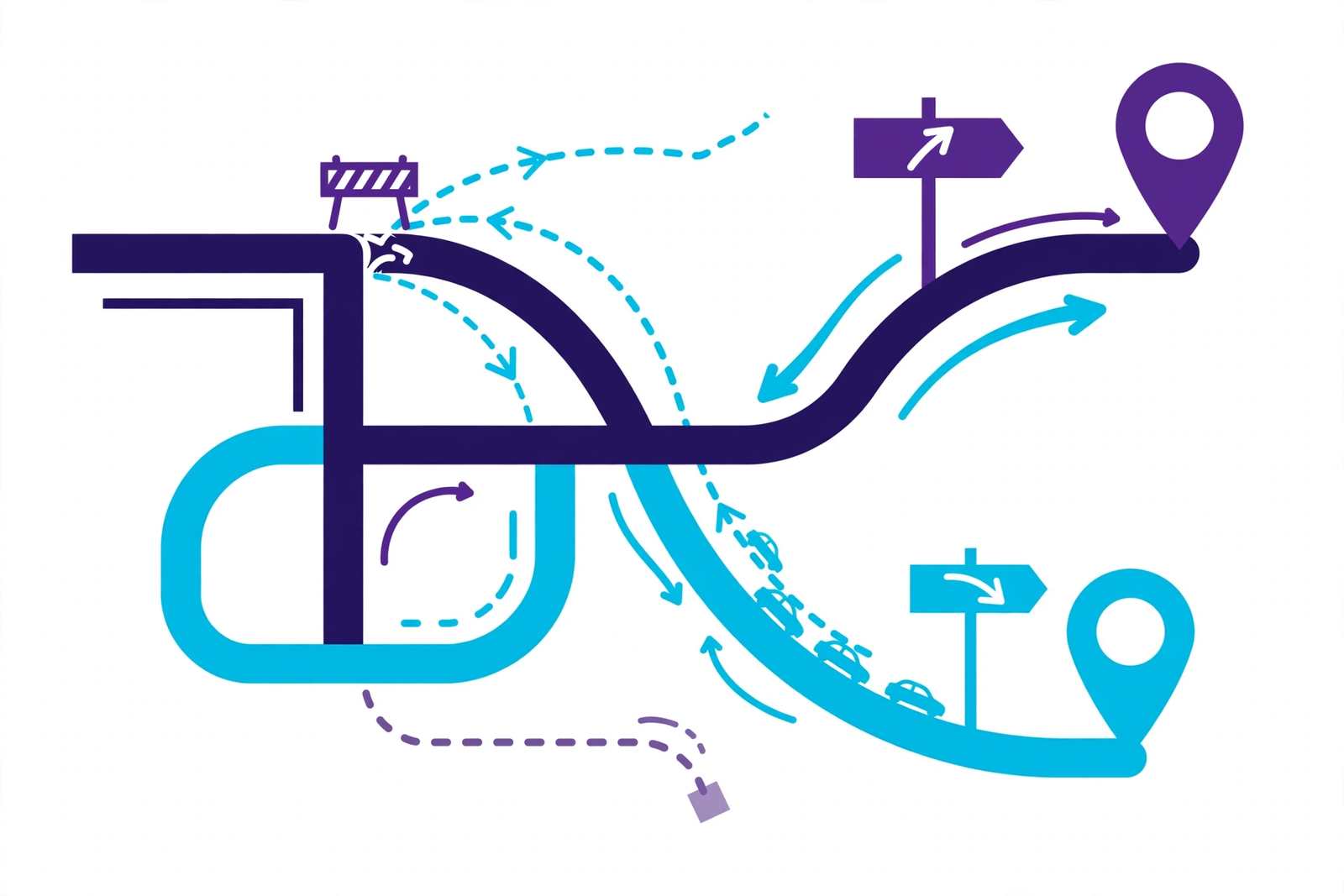
The simplest rule is: keep URLs the same wherever you can. A page that stays at the same address needs no redirect and loses nothing. Where a URL genuinely has to change — because the URL structure and site architecture are being reorganised, for example — every old address belongs in a 301 redirect map, pointing permanently to the closest matching new page.
- Build a redirect map in a spreadsheet: old URL in one column, new URL in the next, one row per page. No guesswork, no bulk rules.
- Redirect each page to its nearest equivalent — the old “web design” page should land on the new web design page, not the homepage. Sending everything to the homepage destroys relevance and Google tends to treat it as a soft error.
- Avoid redirect chains, where one redirect leads to another. Point every old URL directly at its final destination, and update your internal linking to match.
Content Migration Rules
Redesigns tempt people to have a clear-out. That instinct is fine for genuinely dead content, but dangerous when applied to pages that are quietly performing.
- Do not delete ranking pages casually. A page sitting on page one or two of Google is an asset, even if nobody in the office likes how it looks. Rewrite it, redesign it, fold it into a better page with a redirect — but do not bin it without checking its traffic first.
- Preserve search intent. If a page ranks for a particular query, the new version must answer that query at least as well. Changing a detailed guide into a thin sales page because it “looks cleaner” is a reliable way to lose the ranking.
- Carry over headings and metadata deliberately. Title tags, meta descriptions and heading structure should move across, or be improved on purpose — never lost by accident because the new template handles them differently.
- Mind the details. Image filenames and alt text, downloadable files and internal links all contribute. A careful migration checks them rather than assuming they copied across.
Technical Checks That Protect Your Rankings
The design is the visible part of a redesign; the technical setup decides whether Google can still find and trust the site afterwards. The checks that matter most:
- Keep the staging site hidden. Your development copy should be password-protected or set to noindex, so a half-finished duplicate never gets indexed alongside the real site.
- Check robots.txt at launch. Development sites are usually blocked from search engines — correctly. The classic disaster is that block being carried across to the live site, quietly telling Google to ignore everything.
- Refresh your XML sitemap. Generate a sitemap containing only the new, live URLs and submit it in Google Search Console so Google finds the new structure quickly — then check the indexation reports to confirm every important page has been picked up.
- Fix internal links. Menus, footer links and links within your content should point straight at the new URLs, not rely on redirects to get there.
- Carry over structured data. Organisation, local business and other schema markup should be migrated and validated, not dropped because the new theme does not add it automatically.
- Reconnect your measurement. Analytics and conversion tracking need to be in place from the moment the site launches — otherwise you will be diagnosing problems with no data.
These are the same fundamentals covered by a proper technical SEO review, and they are much cheaper to get right before launch than to repair afterwards.
Launch Checklist and the First 30 Days
On launch day, work through the essentials in order: deploy the redirect map and test a sample of old URLs by hand; confirm the site is crawlable and the development blocks are gone; submit the new sitemap; test every form, phone number and call to action on mobile and desktop; and crawl the new site to catch broken links and missing pages.
Then watch closely for the first month. Check Search Console’s coverage and page indexing reports for errors and unexpected exclusions. Keep an eye on your benchmark keywords — small fluctuations in the first couple of weeks are normal as Google recrawls and reassesses the site. Watch your analytics for 404 errors, which usually mean a missed redirect, and fix them as they appear. Recheck page speed on the live site, not the staging one, because real hosting and real content can behave differently.
Give that monitoring a structure rather than leaving it to chance. Once a week for the first month, work through the same short routine: check the page indexation report in Google Search Console for newly excluded or erroring URLs; review any crawl errors your monitoring flags up; compare organic traffic in Google Analytics against your pre-launch benchmark, page by page for your most valuable pages; and re-run a Screaming Frog crawl to confirm your internal linking still points at final URLs and that no redirect chains or orphaned pages slipped through. Keep an eye on Core Web Vitals too — page speed often shifts once real content, real plugins and real traffic hit the new site, and a regression there can quietly drag on your search visibility. Record your keyword positions alongside each check. That way, if rankings move, you can see exactly when it happened and what changed at the same time, which turns ranking recovery from guesswork into a methodical process: find the cause, correct it, and verify the recovery in the next crawl.
A dip that keeps worsening after two or three weeks is rarely bad luck — it almost always traces back to something fixable, such as a missing redirect, a blocked section or a deleted page. Ongoing website maintenance keeps that monitoring in place long after the launch excitement fades.
Common Redesign Mistakes That Tank Rankings
- Changing every URL with no redirect map — the single most destructive mistake, and entirely avoidable.
- Deleting “old” pages that were quietly ranking because nobody checked their traffic first.
- Launching with the site blocked by a robots.txt file copied over from the staging environment.
- Changing everything at once — new domain, new URLs, new content, new structure — leaving no way to tell which change caused a drop.
- Losing metadata in the new template, so pages go live with missing or duplicated title tags.
- Going silent after launch instead of monitoring Search Console and rankings while problems are still small.
Frequently Asked Questions
Will a redesign definitely drop my rankings?
No. A redesign planned with SEO in mind — URLs preserved or properly redirected, content migrated carefully, technical checks done — should hold your rankings, and small short-term fluctuations are normal. Serious drops almost always come from avoidable mistakes, not from redesigning itself.
How long does recovery take if my rankings dip?
Minor fluctuations usually settle within a few weeks as Google recrawls the site. If the dip was caused by a fixable problem such as missing redirects, ranking recovery usually follows in the weeks after the fix, once those pages are recrawled. Deep structural damage can take longer, which is why prevention beats repair.
Should I change my domain name at the same time?
We would strongly advise against it. A domain change is a major SEO event on its own. Combining it with a redesign means twice the risk and no clean way to diagnose problems. Do one first, let things settle, then the other.
When should I involve an SEO specialist?
Before the design is finalised — ideally at the planning stage, when URL structure and content decisions are being made. An SEO specialist brought in after launch can only repair damage; one involved from the start prevents it.
Can a redesign actually improve my rankings?
Yes. Faster pages, a better mobile experience, cleaner site structure and refreshed content are all things Google rewards. Many businesses come out of a well-managed redesign ranking better than they went in.
Planning a Redesign? Let’s Protect Your Rankings
If your website needs a redesign but your Google traffic pays the bills, the two do not have to be in conflict. We plan every rebuild with the migration built in — benchmarked first, redirected properly, and monitored after launch. Message us on WhatsApp or call us on +44 7435 738263 and tell us what you are planning. We will give you straight, honest advice on how to redesign without giving up the rankings you have worked for.
Our Dubai number is +971 52 2511692.
Shopify vs WooCommerce: Which Is Better for Your UK Online Store?
Choosing the platform your online shop runs on is one of those decisions that’s easy to make and awkward to unmake. For most UK businesses, the shortlist comes down to two names: Shopify and WooCommerce.
Both power enormous numbers of successful stores, and neither is simply “better”. The right choice depends on what you’re selling, how hands-on you want to be, and how you feel about trading money for convenience — or convenience for control. Here’s our ecommerce platform comparison, from a team that builds stores on both: our Shopify development and WordPress specialists work with these platforms every day.
How each platform works
Shopify is a hosted ecommerce platform — the all-in-one option. You effectively rent the whole shop: hosting, security, the checkout, the admin dashboard and software updates are all included in your monthly subscription and looked after by Shopify. You sign up, choose a theme, add your products and start selling. Shopify owns the infrastructure; you run the shop.
WooCommerce is a free, open source ecommerce plugin that turns a WordPress website into a fully featured online store. You — or your developer — arrange the hosting, install WordPress and WooCommerce, and assemble the store from themes and plugins. Because it sits on WordPress, you’re building on the world’s most widely used website platform, and the finished store, its data and its hosting are entirely yours. It also pairs naturally with a broader WordPress development approach if your site needs serious content or custom features alongside the shop itself.

Ease of use: convenience versus control
For day-to-day running — adding products, processing orders, managing inventory, setting up discounts — Shopify is the more polished experience. Everything lives in one tidy dashboard, the interface rarely surprises you, and there’s effectively nothing to update or maintain. Non-technical owners and small teams usually feel at home within days.
WooCommerce has improved enormously, but it asks more of you. There are updates to apply, hosting to keep an eye on, and a wider admin area inherited from WordPress. In return, you get far more control over how everything looks and behaves. Many businesses happily run WooCommerce themselves; others keep a developer on hand for the technical side and enjoy the flexibility that buys them.
Costs compared: subscription versus building blocks
Shopify’s pricing is predictable. You pay a monthly subscription — plans range from entry-level tiers for new stores up to advanced plans for high-volume sellers — plus payment processing fees on every transaction. One widely known quirk: if you take payments through a third-party provider instead of Shopify Payments, Shopify adds its own transaction fee on top, which is worth factoring into your sums. Optional apps from the Shopify App Store often carry their own monthly charges too, and those can quietly stack up.
WooCommerce itself is free, but a store built on it isn’t. You’ll pay for hosting — basic shared hosting sits at the cheaper end, while fast, managed WordPress hosting costs considerably more — plus a domain name, possibly a premium theme, and paid plugins for things like subscriptions, advanced shipping rules or bookings. Maintenance, meaning updates, backups and security, is either your time or a developer’s invoice. For a simple store, WooCommerce usually works out cheaper per month; once a store needs lots of paid extras, the gap narrows or reverses. What you never pay with WooCommerce is a platform transaction fee or a mandatory subscription.
Design and flexibility
Shopify offers a strong library of themes, free and paid, all built mobile-first and held to a consistent quality bar. Customising within a theme is straightforward, and going truly bespoke is possible — but it means working within Shopify’s framework and templating language. Some elements, the checkout especially, are deliberately locked down on standard plans.
WooCommerce and WordPress impose far fewer limits. Thousands of themes exist, page builders can reshape almost anything, and a developer can customise the store at code level, checkout included. The flip side is responsibility: with greater freedom comes a greater chance of a bloated theme or a poorly chosen plugin slowing your store down. Flexibility rewards businesses that have — or hire — a bit of technical care.
Apps and plugins: extending your store
Both platforms have deep ecosystems. The Shopify App Store offers thousands of reviewed Shopify apps covering reviews, loyalty schemes, subscriptions, inventory management, email marketing and more, typically for a monthly fee and installed in a couple of clicks.
WooCommerce draws on the library of WordPress plugins — tens of thousands of options, many of them free — plus a large marketplace of premium extensions. You can find a plugin for almost any requirement imaginable. The caution is quality: plugins vary widely, and each addition should be vetted, kept updated and occasionally performance-checked. Whichever platform you choose, the advice is identical — install what your store genuinely needs, not everything that glitters.
SEO capabilities
Good news first: both platforms can rank well on Google. The differences lie in how much control you get over the details.
Shopify handles the fundamentals well out of the box — a clean site structure, fast hosting and automatic sitemaps — and covers the essentials for most stores. Its constraints are fixed elements within its URL structure and limited control over certain technical settings, which experienced SEOs can find frustrating on larger catalogues.
WooCommerce, built on WordPress, gives you near-total control: URL structures, metadata, structured data, speed optimisation and content marketing are all in your hands, and WordPress’s blogging strength is a genuine asset for stores that win traffic through guides and advice. That control only pays off if it’s used well, which is why many store owners pair the platform with specialist ecommerce SEO support.
Scalability, ownership and control
Shopify scales effortlessly in infrastructure terms: traffic spikes are Shopify’s problem, not yours, and its higher plans add reporting, automation and international-selling features. The trade-off is platform dependence. Your store lives on Shopify’s terms — pricing, rules and all — and migrating away later means rebuilding on new ground.
WooCommerce scales as far as your hosting and setup allow, which for most stores is plenty far; growth becomes a matter of upgrading infrastructure rather than changing platform. Website ownership is absolute: your site, your data, your rules, and you can move hosts whenever you like. For businesses that think of their website as a long-term company asset, that independence carries real weight.
Payments and checkout for UK sellers
Both platforms handle what UK customers expect: card payments, Apple Pay and Google Pay, and integrations with familiar names such as PayPal, Klarna and Stripe. Shopify Payments gets a Shopify store taking money quickly with minimal setup, whereas WooCommerce lets you choose your own payment gateway freely — useful if you’ve negotiated good rates elsewhere or need something niche. Either way, both support UK VAT handling and the standard tax configurations a British store needs.
The checkout experience itself deserves a moment, because it’s where browsers become buyers — and where friction quietly loses sales. An unexpected delivery charge, a forced account creation or a clunky card form are the classic reasons baskets get abandoned, so the smoother those final steps feel, the better either platform can perform. In practice that means offering the payment gateways customers already trust: cards through Stripe or PayPal, one-tap wallets such as Apple Pay and Google Pay for mobile shoppers, and a buy-now-pay-later option such as Klarna on higher-ticket items. Both platforms connect to all of them; the difference lies in the detail. On Shopify, payment settings sit inside the same tidy dashboard as everything else. With WooCommerce, you choose and configure payment gateway plugins yourself — more decisions to make, but more freedom to negotiate rates and shape the checkout experience to your brand. Whichever route you choose, test the full checkout on a phone, with a real card, before launch day: it’s the cheapest conversion check you will ever run.
So, which one should you choose?
Choose Shopify if…
- You want to launch quickly, with as little technical responsibility as possible.
- You prefer one predictable monthly bill and support you can call on.
- Your store is fairly standard — products, discounts, shipping — without unusual requirements.
- You’d rather spend your time selling than maintaining a website.
Choose WooCommerce if…
- You want full ownership and control of your store, your data and your hosting.
- You need custom features, unusual checkout flows, or substantial content alongside the shop.
- You already have — or plan to have — a WordPress website, and want one system for everything.
- You’d rather invest in an asset you own than pay platform fees indefinitely.
Plenty of businesses sit between those poles, which is exactly when an honest conversation helps. These are the same questions our ecommerce development team works through with clients before a single page is built.
Shopify vs WooCommerce: frequently asked questions
Can I migrate from one platform to the other later?
Yes — products, customer accounts and order history can be moved between Shopify and WooCommerce with migration tools and developer help. It’s a proper project rather than a weekend job, though, and URLs and SEO need careful handling, so choosing well first saves pain later.
Which is cheaper to run?
For a simple store, often WooCommerce, because there’s no subscription and no platform transaction fee. But once you add quality hosting, paid plugins and maintenance time, Shopify’s all-in-one pricing can be competitive. Compare the total cost over a full year, not the headline price.
Which is better for SEO?
Neither has a magic advantage. Shopify covers the fundamentals well, within some fixed constraints; WooCommerce offers deeper control and stronger blogging through WordPress. In practice, the quality of your products, content and technical setup matters more than the platform badge.
Do I need a developer for WooCommerce?
Not strictly — a confident user can launch a basic store. Most businesses do use a developer for setup, customisation and ongoing maintenance, and that’s part of the real cost to budget for. Shopify needs developer input far less often.
Can both platforms handle a growing store?
Yes. Shopify absorbs growth on its own infrastructure as you move up its plans. WooCommerce grows with better hosting and a well-maintained setup. Both power stores far larger than most UK businesses will ever need.
Still deciding? Let’s talk it through
Tell us what you’re selling and where you want the business to go, and we’ll recommend the platform that genuinely fits — then build it properly, if you’d like us to. Message us on WhatsApp or call us on +44 7435 738263.

SEO vs PPC: Which One Should Your UK Business Invest In?
It’s one of the first questions almost every UK business asks when it starts taking online marketing seriously: should we invest in SEO, or put the budget into PPC advertising?
The honest answer is that it isn’t really an either-or choice. SEO and PPC do different jobs. SEO builds a long-term asset that keeps bringing customers to your door. PPC rents you visibility the moment you need it. Which one deserves your money first depends on your budget, your timescales and how competitive your market is — and this guide will help you work that out.
Below, we compare how each channel works, what it costs and how quickly it delivers. If you’d rather talk it through, our team handles both sides — SEO services and paid media — so we have no axe to grind either way.
How SEO and PPC actually work
SEO (search engine optimisation) is the work of improving your website so it ranks higher in the organic search results — the unpaid listings in Google’s search engine results pages. It covers three broad areas: technical health (a fast, crawlable site with no errors), content (pages that genuinely answer what people search for) and authority (links and mentions from other reputable websites). When it works, your pages show up for your customers’ everyday searches, and each click costs you nothing at the point of contact.
PPC (pay-per-click) is pay per click advertising, most commonly the sponsored listings at the top of Google’s results, managed through Google Ads. You bid on keywords, your advert appears when someone searches for them, and you pay only when a person actually clicks. Where the advert sits, and what each click costs, comes down to ad rank — a blend of your bid and your quality score, Google’s rating of how relevant your advert and landing page are. It also pays to respect keyword intent: someone comparing options needs a different advert and a different page from someone ready to buy today. Meta, LinkedIn and Microsoft Advertising offer their own versions, but the principle is identical: visibility is bought, auction by auction, click by click.
The simplest way to think about it: SEO is buying and improving the shop; PPC is paying for a prime pitch in the market square. Both put you in front of customers — they just get you there in very different ways, which is why our digital marketing team plans the two together rather than in isolation.

Speed of results: days versus months
This is the starkest difference between the two channels. A PPC campaign can be live within days. Once your adverts are approved and your landing pages are ready, you can appear at the top of Google almost immediately — and enquiries can follow just as fast. That speed makes PPC the go-to channel for product launches, seasonal promotions, entering a new area or simply testing whether a market is worth pursuing.
SEO plays a longer game. A brand-new website in a competitive sector may take many months before it ranks for commercially valuable searches, because Google needs time to crawl, assess and trust the site. Established sites with solid foundations usually see movement sooner, but there are no honest shortcuts: anyone promising page one next week is selling you something that doesn’t exist.
The trade-off is what happens later. PPC traffic stops the day you pause the campaign. SEO, once established, keeps delivering — the work compounds rather than expiring.
What each one costs — and how the costs behave
Neither channel is free, but the money flows in completely different patterns. With PPC, the cost structure is transparent and immediate. You set a daily or monthly budget, and every click is charged against it at a cost per click set by auction competition. In fiercely contested UK markets — legal services, finance, home improvements — a single click can be expensive, because several businesses are bidding for the same customer. Your costs are roughly proportional to the traffic you buy, and if you stop paying, the traffic stops with it.
SEO is an ongoing investment rather than a meter running by the click. You pay for expertise — strategy, technical fixes, content creation and link building — typically as a monthly retainer or project fees, whether that’s an in-house hire, a freelancer or an agency. The return profile is back-loaded: early months can feel quiet while foundations are laid, but as rankings climb, the cost of each additional visitor falls steadily. A page ranking near the top can bring in enquiries month after month with no per-click charge attached.
So which is cheaper? In the short term, usually PPC — a modest test budget buys real data within weeks. Over a year or more, a successful SEO campaign typically delivers a far lower cost per enquiry, because you’re no longer renting every visit.
Trust and click behaviour: do people prefer organic results?
Searchers are not naive. Most people can tell an advert from an organic listing at a glance, and a meaningful share deliberately scroll past the ads to the “real” results, treating a high organic ranking as a sign of trustworthiness. Organic listings tend to earn the higher click-through rate overall, particularly for research-style searches.
That said, when someone is ready to buy, the distinction matters less. A well-written advert that matches exactly what a person typed, on a page that loads fast and makes enquiring easy, converts perfectly well. For high-intent searches — an emergency service, a specific product — the sponsored results are often where the action is.
The practical takeaway: SEO builds credibility and captures the broadest demand, while PPC captures demand at the sharp end — including searches where your organic presence is weak or non-existent.
When SEO is the better bet
- You want a lasting asset. Rankings, content and authority stay yours; they don’t vanish when a monthly budget runs out.
- Your customers research before they buy. If people compare options, read guides and take weeks to decide, organic content is where you’ll meet them.
- Your margins can’t carry high click costs. In sectors where clicks are pricey, organic traffic protects profitability.
- You’re building a brand. Appearing consistently in organic results across your whole field builds recognition that advertising alone rarely achieves.
- You can afford patience. If the business is stable and you can invest steadily, SEO usually wins on lifetime value.
Not sure where your site currently stands? A free SEO audit will show you what’s helping, what’s hurting and how big the opportunity is — before you commit a penny.
When PPC is the better bet
- You need enquiries now. A new business, a quiet period or spare capacity to fill — PPC is the fastest lever you can pull.
- You’re launching something time-limited. A new product, a seasonal offer or an event has a window that SEO simply can’t hit in time.
- You’re testing a market. PPC data tells you within weeks which keywords convert, which messages land and what a customer is actually worth.
- You serve a defined area or niche. Geo-targeting lets a local firm spend only on people nearby who are ready to buy.
- Your website already converts well. If visitors turn into customers at a healthy rate, paid traffic often pays for itself from the start.
Our PPC and Google Ads specialists build campaigns around exactly these situations — tightly targeted, tracked to the enquiry, and scaled only when the numbers justify it.
Why most growing businesses end up using both
Talk to businesses that have marketed online successfully for a few years and a pattern emerges: they rarely chose one channel forever. They sequenced them.
A sensible sequence looks like this. Start with PPC to generate enquiries immediately and, just as importantly, to gather hard data — which search terms produce customers, what those customers are worth, which pages convert. In parallel, invest in SEO: fix the technical foundations, build the content those proven keywords deserve, and earn authority steadily. As organic rankings climb and enquiries start flowing without a per-click charge, you can hold or trim the PPC budget, keeping it for launches, seasonal peaks and the ultra-competitive terms where organic ground is hardest to win.
The two channels also reinforce each other. PPC data sharpens SEO targeting; a strong organic presence lowers your overall cost per acquisition; and appearing in both the adverts and the organic results on the same page makes your business very hard to ignore. It’s not duplication — it’s owning more of the results page.
There’s a practical workflow behind that reinforcement, and it runs on data. Good Google Ads management starts with measurement: set up conversion tracking properly — in Google Ads and Google Analytics — and every click starts telling you something useful: which keywords carry genuine buying intent, which landing pages convert visitors into enquiries, and which need landing page optimisation before they deserve more traffic. Feed that evidence back into your SEO and you stop guessing what content to write. Google Search Console completes the picture from the organic side, showing the queries already earning you impressions in the search engine results pages — often including terms worth bidding on straight away while their organic pages climb. Then there’s remarketing, the part of pay per click advertising that carries on after the first visit: tailored adverts shown to people who browsed key pages but didn’t enquire, keeping your brand in front of warm prospects at a modest cost per click. Run the two channels with that discipline and they stop being rival line items — they become a single search strategy, each covering the other’s blind spots.

A simple decision framework
Still torn? Run your situation through these four questions:
- Budget. Can you sustain a monthly investment for at least six months? SEO needs consistency to compound. If funds are tight, a focused PPC test may tell you more, faster.
- Timeline. Do you need leads this month, or are you building for next year? Urgency points to PPC; a longer horizon favours SEO — or a blend weighted by how urgent things are.
- Competition. Search for your main service on Google. If page one is dominated by national brands with deep pockets, organic progress will be slower and clicks pricier — local and niche angles may offer the best route in.
- Margins. Work out what a new customer is worth and what you can afford to pay to win one. If a single click costs a noticeable slice of the profit on a typical job, SEO’s falling cost per enquiry becomes very attractive.
If your answers point in different directions — most businesses find they do — a combined strategy, weighted towards whichever factor matters most, is usually the right answer.
SEO vs PPC: frequently asked questions
Which is cheaper in the long run?
For most businesses, SEO. Once your pages rank, enquiries arrive without a charge per click, so the cost of each lead falls over time. PPC costs stay broadly flat per click for as long as you run it.
Can I stop SEO once my site ranks well?
You can ease off, but stopping entirely is risky. Competitors keep investing, Google keeps updating how it ranks pages, and content goes stale. Most businesses step down to lighter maintenance rather than switching SEO off altogether.
Does PPC help my SEO rankings?
Not directly. Paying for adverts does not improve your organic positions — the two systems are kept separate. Indirectly, though, the keyword and conversion data from PPC campaigns is extremely useful for planning SEO work.
How quickly will I see results?
PPC can generate traffic and enquiries within days of launch. SEO typically takes months to build momentum, with the strongest returns in the second half of the first year and beyond.
Do I need both if I’m a small local business?
Not necessarily at once. Many local firms start with strong local SEO plus a small, tightly targeted PPC campaign for their highest-value service, then expand whichever channel proves itself.
Not sure where your budget will work hardest?
Tell us about your business and we’ll give you a straight answer — SEO, PPC or a blend of both, and why. Message us on WhatsApp or call us on +44 7435 738263 for a no-obligation chat.
How Much Does a Website Cost in the UK? (2026 Guide)
“How much does a website cost?” sounds like a simple question, yet quotes for what looks like the same project can vary enormously. The reason is that “a website” can mean a five-page brochure site, a full online shop, or a bespoke platform — and each comes with a very different price tag.
There is no honest single figure anyone can give you here — be wary of any article or agency that plucks one from the air. What a website costs depends on what it has to do, who builds it and how well it’s made. Understanding website design pricing starts with the route you choose. What this guide can do is explain the build routes, the pricing structures and the factors behind every quote, so you can judge quotes properly. And when you’re ready for an exact figure, that only comes from a scoped quote: message us on WhatsApp with what you’re planning, and we’ll price it properly. Here’s where the money actually goes.
Website costs by build route
The single biggest influence on price is who builds your website. The same five pages can end up at completely different price points depending on the route you choose — because what you’re really buying is time, expertise and accountability. Here’s how the three main routes compare.
DIY website builders
Platforms like Wix, Squarespace and Shopify’s basic plans let you build a site yourself for a monthly subscription. The cash cost is low, but the real cost is your time: expect evenings spent wrestling with templates, writing every word yourself, and working around the platform’s limits. Fine for testing an idea; frustrating for a business that needs to look established. Our web development team regularly rebuilds sites for businesses that outgrew this stage.
Freelancers
A good freelancer is often the most affordable professional route, usually charging a fixed project fee or a day rate for a brochure website. You get direct communication and low overheads. The trade-offs are capacity and continuity: one person designs, builds and supports your site, so illness, holidays or a busy patch can leave you waiting — and if they disappear, you may struggle to get control of your own website.
Agencies
An agency brochure site, usually quoted as a fixed project price once the work has been scoped, buys you a team: strategy, design, copywriting input, development and project management. It costs more because more specialists touch the project, and because there’s accountability and cover if one person is away. For ecommerce or anything business-critical, that structure is usually worth it.

What drives the price up or down?
- Number of pages. A five-page site and a fifty-page site are different amounts of design, build and content work.
- Design. This is where web design cost can diverge sharply. A template adapted to your brand costs less than a fully bespoke website created from scratch — and looks it. Responsive web design should be planned from the start, not bolted on afterwards for phones and tablets.
- Functionality. Booking systems, membership areas, calculators, multilingual content and customer portals all add development time.
- Integrations. Connecting your site to a CRM, accounting software, stock systems or email marketing tools takes specialist work.
- Content. Writing, photography and video are often the hidden line items. A site with professionally written pages costs more — and performs better.
- Ecommerce. Product catalogues, payment gateways, shipping rules and tax settings make online shops a bigger build, as any ecommerce development project shows.
These factors combine in ways that surprise people. A ten-page site with online booking, payments and a customer login can easily cost more than a forty-page brochure site, because functionality takes longer to build and test than static pages. Equally, insisting on a bespoke design for every page pushes cost up, while a strong design system — a few carefully designed templates reused across the site — keeps quality high and the budget under control. When a quote seems high, ask which of these drivers is behind it; a good developer will happily explain.
The costs nobody puts in the quote
The build price is only the start. Budget for these ongoing costs from day one:
- Domain name: an annual renewal for your .co.uk or .com — one of the smaller costs of running a site, but let it lapse and your website and email go down with it.
- Web hosting: a monthly or annual fee that varies with speed, storage and support. The cheapest shared hosting can leave a business site crawling at busy times; managed hosting costs more, but brings the performance and help a business site deserves.
- Maintenance and updates: your content management system and its plugins need regular updates; skipping them is how sites get hacked. Many businesses use a website maintenance plan — usually a monthly fee that depends on what’s included, such as updates, backups, monitoring and small changes.
- Security and backups: An SSL certificate is often free now, but proper backup routines, security monitoring and malware cleanup are worth paying for.
- Licences: premium themes, plugins and booking or marketing tools often renew annually.
- Professional email: email on your own domain, via services such as Google Workspace or Microsoft 365, is charged per user, per month.
None of these are large individually, but together they form a genuine running cost that belongs in your budget from the outset — and a website with no maintenance budget tends to become a slow, vulnerable website, and eventually an expensive emergency. When comparing quotes, always ask what the first year will cost in total, not just the launch price.
WordPress vs Shopify: the cost angle
The platform you choose shapes both the build cost and the running costs. WordPress development usually means a one-off build fee plus your own hosting and maintenance; you own everything and there’s no monthly platform charge, but upkeep is your responsibility (or your maintenance provider’s). Shopify flips the model: a monthly subscription — with a plan tier for each stage of growth — covers hosting, security and updates, and a custom theme build costs extra on top. In return, selling tools are built in, though transaction fees and paid apps can quietly add up. Neither is “cheaper” in all cases; it depends on whether you’d rather pay in subscriptions or in maintenance. It also affects your freedom to move: a WordPress site can be transferred to another host or developer relatively easily, while a Shopify store lives on Shopify’s platform for as long as you trade on it.
For shops, WooCommerce is the third route that most often gets compared with Shopify. It is an ecommerce plugin that adds catalogues, checkout and order management to a WordPress content management system, so its cost structure follows the WordPress model: a build shaped around your design and integrations, your own web hosting, and ongoing responsibility for updates and security. Extensions can add subscriptions, bookings or advanced shipping, and each one needs checking for compatibility rather than assuming a free download means no cost. This flexibility suits content-led stores and unusual product rules, but ecommerce website development on WooCommerce should be budgeted as a system to maintain, not a one-off purchase. Shopify’s appeal is the opposite: more of the operational burden is bundled into the platform, in return for less control over the underlying software. The right choice depends on how much control your team needs, who will look after the technology, and whether your store’s complexity justifies a more customised setup.
How to get an accurate quote
Vague briefs produce vague quotes, and vague quotes produce nasty surprises. Before asking for prices, write down: what the site must do, how many pages, who it’s for, examples of sites you like, any landing page design you expect to run campaigns to, and what success looks like. Then ask every provider the same questions:
- What’s included in the price — and what’s explicitly not?
- Who writes the content and provides the images?
- How many design revisions are included?
- What are the ongoing costs, and who handles updates?
- Who owns the website, domain and content if we part ways?
- What happens after launch if something breaks?
A proper custom web development quote should answer all of these in writing. If a provider can give you a firm price from a two-line enquiry, they haven’t understood your project — or don’t intend to deliver much.
One more thing that improves every quote: ask for it broken down by deliverable — design, build, content, integrations — rather than as a single lump sum. An itemised quote is easier to compare like-for-like, easier to trim if the budget is tight, and much harder for hidden extras to sneak into. If a provider won’t itemise, ask yourself why.
Also check how payment is structured. Staged payments — a deposit, a payment at design sign-off, and the balance at launch — are the norm for professional projects and protect both sides. Be cautious with anyone demanding the full amount before work begins, and equally cautious of starting with no deposit at all, which often signals a hobbyist. Finally, ask what’s not included: content migration from an old site, product uploads for a shop, and staff training are common extras that are far cheaper when agreed upfront than added mid-project.

Red flags of a too-cheap quote
Cheap isn’t automatically bad — but a quote far below everyone else’s usually means corners are being cut somewhere you can’t see yet. Watch for these warning signs:
- A full website for a rock-bottom price, “everything included”. Something has to give: usually your ownership, the design quality, or the support.
- You never own the site. Some cheap deals are really rentals — stop paying and the website vanishes.
- No mention of content. If nobody’s writing the words, that job (and its cost) lands on you.
- Payment entirely upfront, no contract. Staged payments tied to milestones protect both sides.
- No discussion of what happens after launch. A website is the start of your costs, not the end.
Frequently asked questions
How long does it take to build a website?
A straightforward brochure site typically takes four to eight weeks from brief to launch; ecommerce and bespoke projects often run eight to sixteen weeks or longer. Delays usually come from content and feedback rounds rather than the build itself.
Should I pay monthly or one-off for a website?
One-off build fees give you an asset you own outright. Monthly “pay-as-you-go” websites spread the cost but can work out more expensive over time, and some are rentals you never own. Check the ownership terms carefully before choosing monthly.
Can I build my own website and hire help later?
Yes — many businesses start on a builder and upgrade once they’re trading. Just be aware that moving platforms usually means rebuilding rather than converting, so treat the DIY site as a starter, not a foundation.
Why do website quotes vary so much?
Because providers are quoting different things: a template with your logo is not the same product as a bespoke, copywritten, search-optimised site. Compare quotes on scope, ownership and aftercare — not headline price alone.
Is a cheap website ever a good idea?
For a short-lived campaign or a test, sometimes. For the main online presence of a business that depends on trust, usually not: a slow, dated site costs you enquiries every week it stays live.
Get a clear, honest website quote
Tell us what you’re planning and we’ll give you a straightforward quote that explains every cost — build, hosting, maintenance and all — with no pressure and no jargon. Message us on WhatsApp or call +44 7435 738263 for a free quote.

How Much Does SEO Cost in the UK? A Straightforward 2026 Pricing Guide
Ask three SEO providers what they charge and you’ll get three very different answers. One leads with a bargain package, another quotes a far bigger figure, and a third won’t name a price until after a sales call. No wonder “how much does SEO cost?” is one of the most Googled questions in UK marketing.
Here’s the honest answer: there is no standard price, because there is no standard job. What you pay depends on how competitive your market is, what state your website is in, and how much work is done each month. A small local campaign is a fundamentally smaller job than national ecommerce SEO. Anyone who names an exact figure without looking at your site, your competitors and your goals first is guessing — or selling you a package that wasn’t built for you.
The rest of this guide explains how those prices are built. You’ll see how the pricing models work, what pushes the cost up or down, what a fair package should include, and how to set a budget that matches your goals.
SEO pricing models explained
Almost every quote you’ll receive for search engine optimisation services follows one of four models. Understanding them makes comparing providers far easier.
Monthly retainers
A monthly SEO retainer is the most common arrangement. You pay a fixed monthly fee for an agreed amount of ongoing work: technical fixes, content, link building and reporting. Retainers suit SEO because results build over months, and consistent work compounds. What the fee actually buys varies enormously — some retainers cover a few hours of light-touch work each month, while others fund a whole team of specialists — so compare scope and deliverables, not the headline price. Our own SEO services follow this model, with the scope shaped around each client’s market.
Hourly and day rates
An SEO consultant or freelancer often charges by the hour or the day, with rates reflecting experience, reputation and overheads — a solo freelancer working from home carries very different costs from a consultant operating inside an agency. Hourly billing works well for advice, audits and troubleshooting, but it makes long-term budgeting harder and can discourage the steady, unglamorous work SEO needs.
Project-based pricing
A fixed price for a defined piece of work: a technical audit, a site migration, a one-off content project. The price is driven by the size of the site and the depth of analysis involved — a review of a small brochure site is a much smaller job than a deep technical audit of a large ecommerce store. Projects are a sensible way to test a provider before committing to a retainer.
Fixed SEO packages
Pre-built bundles — “bronze, silver, gold” — sold at set monthly prices. Packages can be good value for straightforward local campaigns, but they deserve scrutiny. The key question is always what work the package actually contains, because a package is only priced lower than bespoke work by leaving things out.
No guide can tell you exactly what your SEO should cost, because nobody honest can price work they haven’t assessed. The only reliable way to get an exact figure is a quote based on your site and your goals — message us on WhatsApp and we’ll price it properly.
What affects the cost of SEO?
Two businesses can pay very different amounts for equally honest work. These are the factors that move the price.
Competition in your market
Ranking a plumber in a small town is a different job from ranking a personal injury solicitor in London. The more competitors investing in SEO, and the higher the value of each customer, the more work — and budget — it takes to compete.
The current state of your website
A fast, well-built site on a healthy technical footing needs less groundwork than one with broken pages, duplicate content and years of neglect. This is why most serious engagements begin with technical SEO work.
The scope of the work
SEO bundles several disciplines together. Technical SEO, on-page SEO, off-page SEO, link building and local SEO services each add cost. A campaign targeting local “near me” searches through local SEO usually costs less than national ecommerce SEO because the scope is narrower.
Your location and theirs
London agencies carry London overheads and price accordingly; capable regional agencies and freelancers often deliver the same standard for less. What matters is expertise and transparency, not the postcode.
Your goals and timescale
Want results faster, or in more locations, for more services? That means more content, more links and more hours. Ambitious goals on a small budget usually end in disappointment — a good provider will tell you what’s realistic.
The expertise and reporting included
Senior strategists cost more than junior account handlers, and proper reporting — rankings, traffic and enquiries in plain English — takes real time to produce. Very low fees usually mean one or both have been quietly cut.
SEO packages explained: what you should actually get
Whatever the pricing model, your money should buy visible, accountable work. A fair SEO package or retainer normally includes:
- An initial audit and a written strategy, not just a sales pitch
- Technical fixes and ongoing site health checks
- Keyword research mapped to pages that can actually convert
- Content creation or optimisation, based on that research
- Ethical link building or digital PR — earned links, not bought ones
- Monthly reporting against Google rankings, organic traffic and, most importantly, enquiries or sales
And the red flags to walk away from:
- Guaranteed rankings. Nobody controls Google; anyone promising position one is guessing or lying.
- Vague deliverables. “SEO activities” without specifics means you’ll never know what was done.
- Very cheap link building. Hundreds of links offered for a token fee usually means link farms that can damage your site.
- Long contracts with no reporting. Being tied in for 12 months while receiving nothing measurable is a bad combination.
- They own your assets. Your website, content and data should always remain yours.
Comparing two SEO packages side by side is where the detail matters. A credible SEO agency or SEO consultant should be able to show you a sample monthly report, explain how keyword research turns into a content plan, and separate the work into technical fixes, on-page SEO, off-page SEO, link building and, where relevant, local SEO services. Ask what the first technical SEO audit includes, how content marketing will support the pages you need to rank, and how progress will be measured through Google Analytics and Google Search Console rather than by a screenshot of a single ranking. Also ask who actually does the work: strategists, writers, developers and digital PR specialists all cost money, but a monthly SEO retainer that names the team and the deliverables is far easier to judge than one promising generic optimisation. This comparison will not make a bigger quote inexpensive, but it makes the price intelligible — and it exposes where a cheaper package has simply left the difficult work out.
How businesses of different sizes structure their SEO budgets
With no honest universal price list, it helps to think about budget the way businesses actually set it: by the size of the opportunity, the strength of the competition and what the work has to cover each month.
Local businesses
Trades, clinics, cafés, local professionals. The focus is the Google Business Profile, local landing pages, reviews and “near me” visibility. Because the scope is narrow — a defined set of services in a defined area — the work is usually handled by one specialist or a small team, and many local firms prioritise SEO above broader advertising because local searches carry such clear buying intent.
Ecommerce businesses
Online shops carry hundreds or thousands of product and category pages and face national — sometimes international — competition. That demands more technical work, more content and stronger links, so ecommerce businesses typically give SEO a larger, dedicated share of their marketing budget, often combining agency support with in-house time.
National brands and competitive sectors
Finance, legal, travel and other high-value national markets are where SEO is most fiercely contested, because a single new customer can be worth a great deal. Budgets here are set against the value of the enquiries SEO is expected to win, and the work — usually a blend of agency specialists and in-house staff — is as much senior strategy and digital PR as day-to-day execution.
New websites and startups
A brand-new site starts with no authority, no content library and no link profile, so early budgets go on foundations: technical setup, core service pages and local visibility. Startups often begin with a founder or freelancer covering the basics, then bring in agency help once there’s revenue to reinvest. Expect slower initial returns while Google learns to trust the domain.

How to budget sensibly — and what cheap SEO really costs you
A useful starting point is to work backwards from the value of a customer. If winning one new client is worth a lot to your business, a meaningful monthly investment to win them is easy to justify; if your average sale is small, you need volume, tighter targeting and patience. Either way, set a budget you can sustain for at least six months — SEO stopped after eight weeks rarely gets the chance to work.
Whatever you settle on, review it quarterly against outcomes, not activity: a worthwhile retainer shows a clear line from work done to pages improved, rankings gained and enquiries generated. If reports only ever list tasks completed, without movement in the numbers that pay your bills, the budget is either too small for the market or pointed at the wrong work.
As for the too-good-to-be-true monthly offers: the real cost is rarely the fee. Cheap SEO typically means automated audits, recycled content and bought links. At worst it earns your site a Google penalty that costs far more to clean up than proper SEO would have. If budget is genuinely tight, you’re better off starting small and honest — a one-off audit, local optimisation done properly — than paying for activity that harms you. A free SEO audit is a sensible first step: it shows you where you stand before you spend anything.
Frequently asked questions
Is SEO worth it for a small business?
Usually, yes — provided the basics are targeted properly. Local SEO in particular offers small businesses visibility in front of people actively looking to buy nearby, without paying for every click. The key is matching the work to the size of the opportunity in your area.
How long before SEO results justify the cost?
Most campaigns show meaningful movement within three to six months. Local campaigns in quiet markets can move faster; competitive national terms take longer. Anyone who expects profit in month one is setting themselves up to quit too early.
Do agencies lock you into long contracts?
Some do, many don’t — it varies by provider. What matters is that any commitment is explained upfront and you own your website and content. If an agency needs a long tie-in to keep you, ask why.
What’s actually included in a monthly retainer?
Typically: technical maintenance and fixes, content work, link building or digital PR, local optimisation where relevant, and monthly reporting. The exact split should be agreed before you sign and visible in every report you receive.
Can I just do SEO myself?
You can do a fair amount — keeping your Google Business Profile updated, earning reviews, publishing genuinely helpful content. Where DIY struggles is technical issues, competitive keyword targeting and link building at scale. Many businesses do the basics in-house and bring in help for the rest.
Get straight answers on what SEO should cost you
Every business’s numbers are different, and the only useful quote is one based on your market, your website and your goals. Message us on WhatsApp or call +44 7435 738263 for a free, no-obligation chat — we’ll tell you honestly what your SEO should involve and what it should cost.